
Coming from the old system
Used our old booking system? Here is how to get in and what moved.
We moved from our old system, EasyBusy, to this new website. Good news: you do not need to start over. Your account and your dogs came with you. You just need to make a new password the first time.
What came over
- Your name, phone, and address.
- Your dogs.
- Your dogs' shot records.
- Your signed waivers.
- Your upcoming bookings.
- Your visits from about the past year.
- Your daycare pass days that are left.
- Your L.E.E.P. Monthly membership.
Good to know: Please check it all! Look at your dogs, shots, and bookings. If something is wrong or missing, call us. We will fix it.
Log in the first time
Your old password did not come over. You make a new one. It takes two minutes.
- Go to our website. Press Log In at the top. On a phone, tap Menu first.
- Under the Log in button, press Forgot password, or first time since we switched systems?
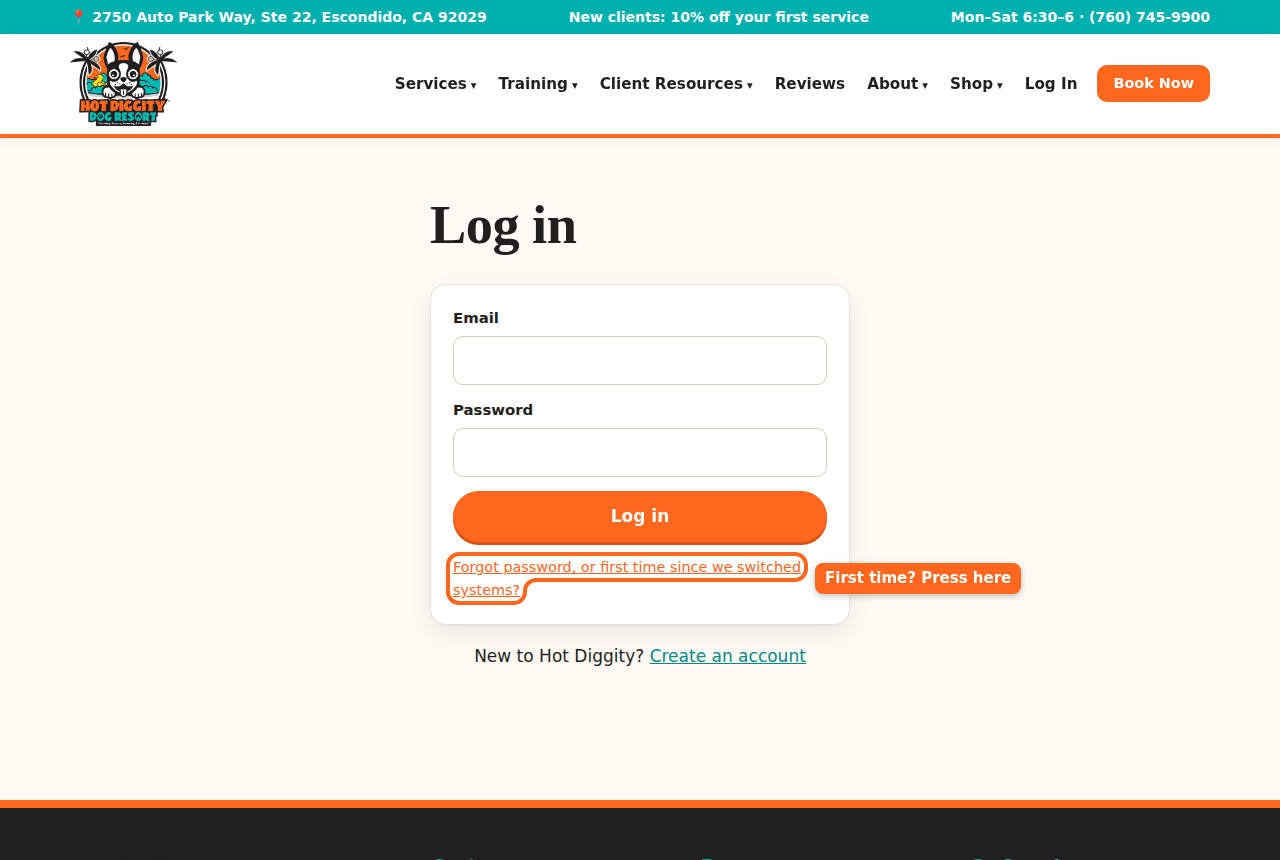
The link for your first time since we switched systems - Type the email you used with us before.
- Press Send me a link.
- Open your email. Look for a note from Hot Diggity Dog Resort. Check your spam folder too.
- Press the link in the email. It works for 2 hours.
- Type a New password. Use at least 8 letters or numbers.
- Press Save password.
- You are in! You see "Password set. Welcome back!"Tip: Did you try to log in or sign up first? You may see "Your account came over from our old system." That is normal. You are on the right page. Just type your email and press Send me a link.
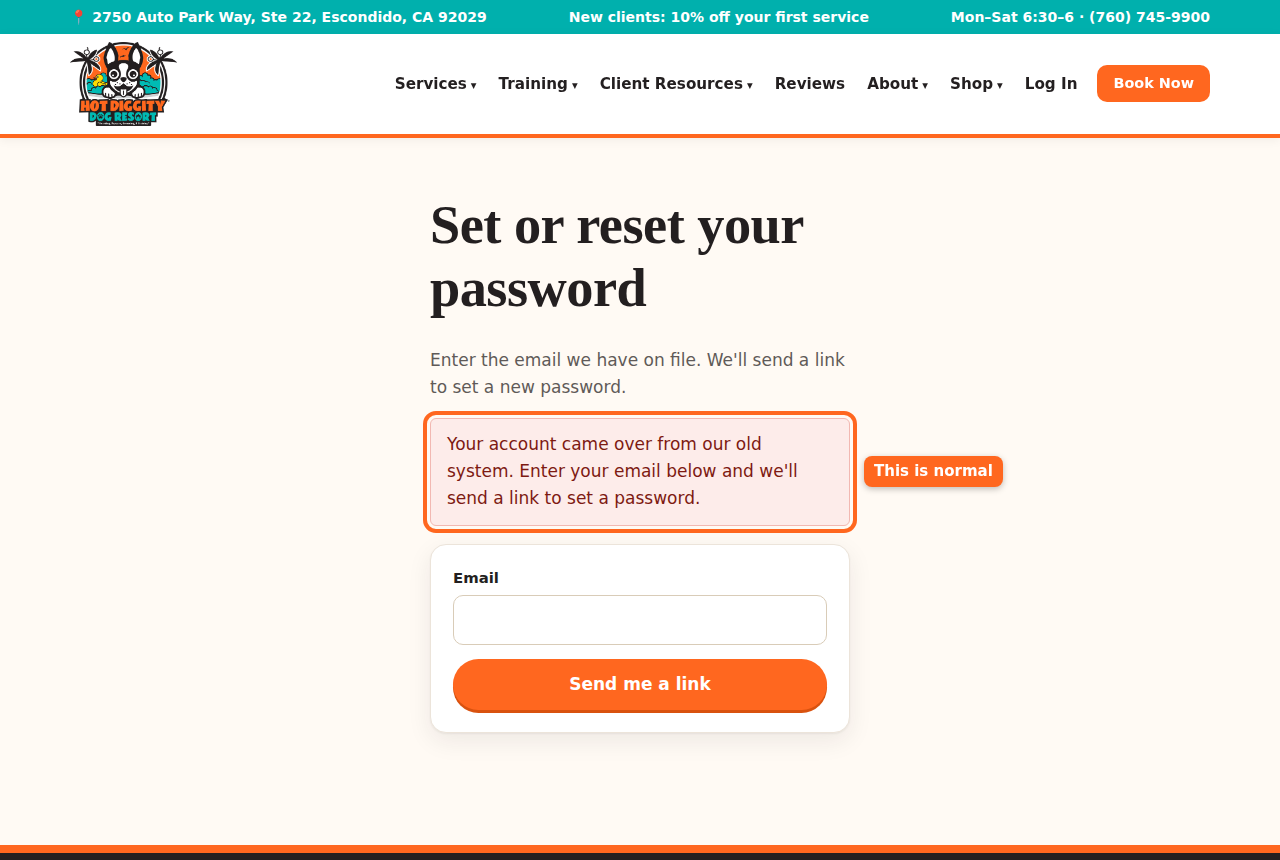
The message for people from the old system Good to know: Please don't make a second account. Use the same email as before. Then your dogs and records stay together.Tip: No email came? We may have a different email for you. Call us, and we will check.
What is new or different
- Book online yourself. Daycare, boarding, grooming, and vet visits are all under Book a stay.
- Instant booking. Daycare and boarding can book right away if your dog came in the last 6 months. Otherwise, it is a request that we confirm.
- Pick your groom time. You see open times with our groomers and pick one.
- Forms online. Sign the waiver and forms on the site. See Sign forms.
- Shot records. Upload a photo from your phone. See Upload shot records.
- Price before you book. The booking page shows an estimated total.
- Webcam login. It is on My Account now, not on a public page.
- Texts. You can turn texts on or off in My details.
- L.E.E.P. Monthly is paid by card each month now. You may need to press Set up monthly auto-pay. See Daycare passes and L.E.E.P. Monthly.
Things to check after you log in
- Open My Account. Look at Finish your profile. Do the items there.
- Look at each dog under My dogs. Check the name, weight, and shots.
- Look at Upcoming. Make sure your bookings are right.
- Open My details. Check your phone and emergency contact. Check the text box too.
- Open Passes & memberships. Check your pass days and membership.Stuck? Call us at (760) 745-9900.