
Sign forms and the waiver
Fill out and sign your forms online, so check-in is quick.
We need a few forms before your dog's first visit. You can do them all online. Then there is no paperwork at the front desk.
Which forms you need
- Daycare & Boarding Waiver and Release of Liability: one for you. You need it for daycare or boarding. It also covers grooming.
- Grooming Waiver and Release of Liability: one for you. Only groom with us? This short one is enough.
- Daycare Registration Form: one for each dog. You need it for daycare or boarding.
- Food and Medication Form: one for each dog. You need it for boarding.
Steps
- Log in. Look at Finish your profile on My Account. It lists what is still to do. Press any line to go right there.
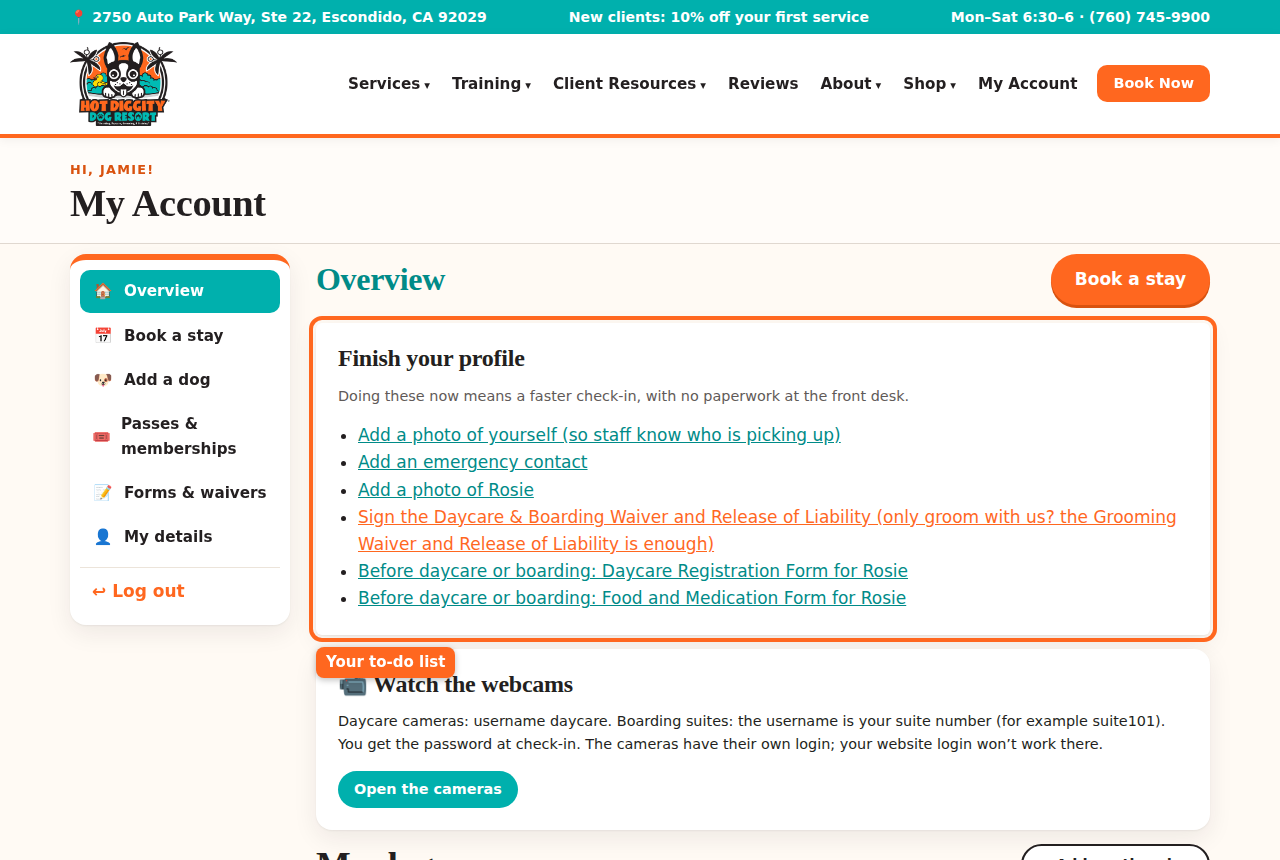
The Finish your profile to-do list - Or press Forms & waivers in the menu. You see every form and its Status.
- Next to a form that says Not done, press Fill out.
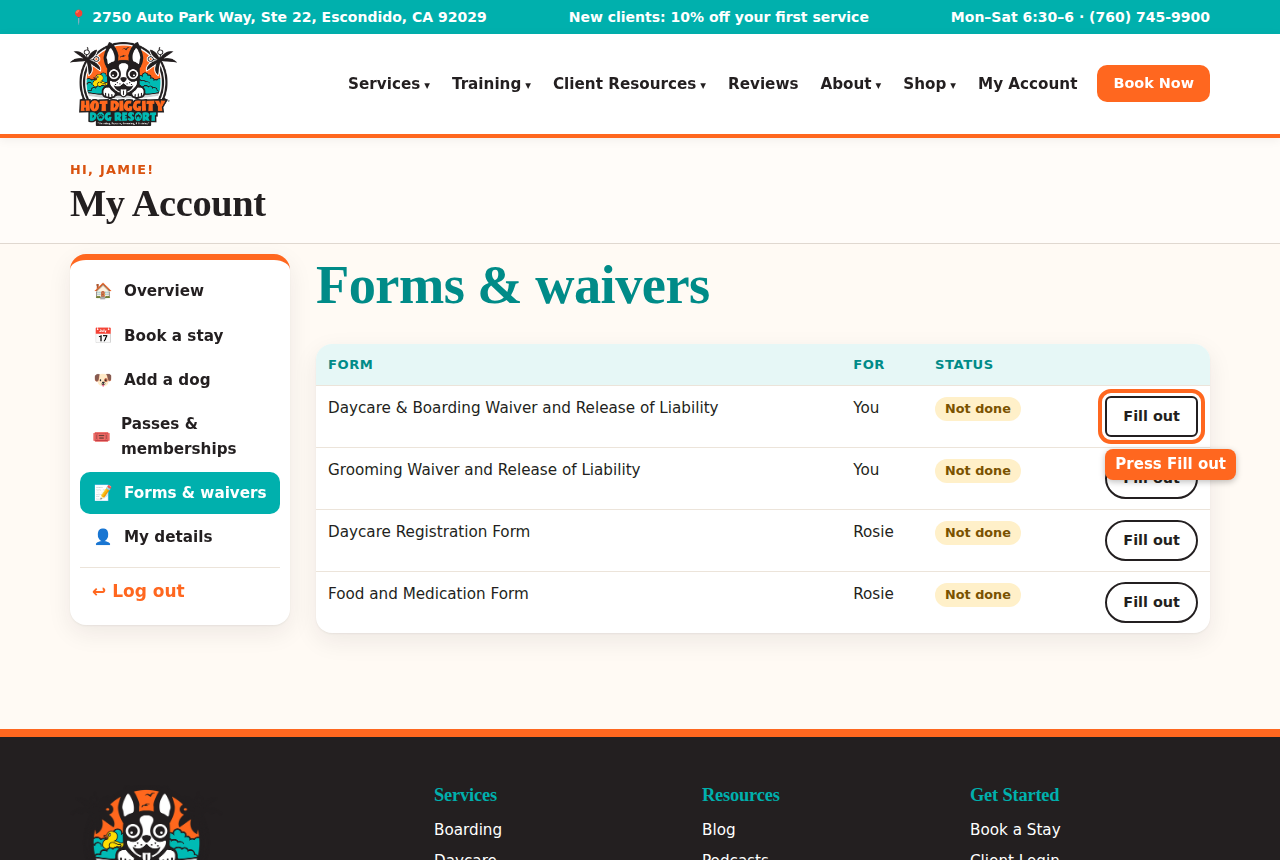
The Forms & waivers list with a Fill out button circled - Read the form in the box at the top. Scroll inside the box to read it all.
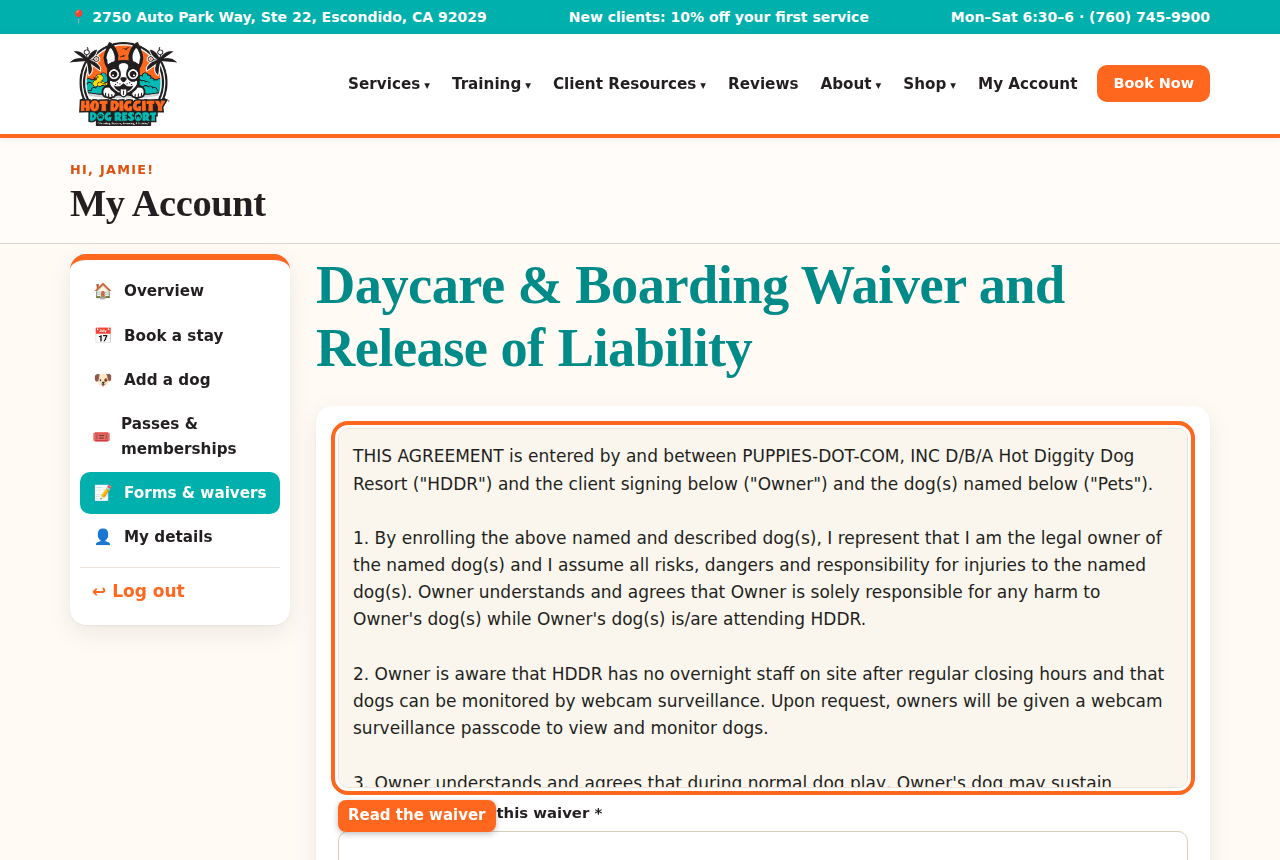
The waiver words in a box at the top of the form - Answer each question. The ones with a star (*) must be filled in.
- On the waiver, type your dog's name. Then type your initials in each box. There is one box for each part.
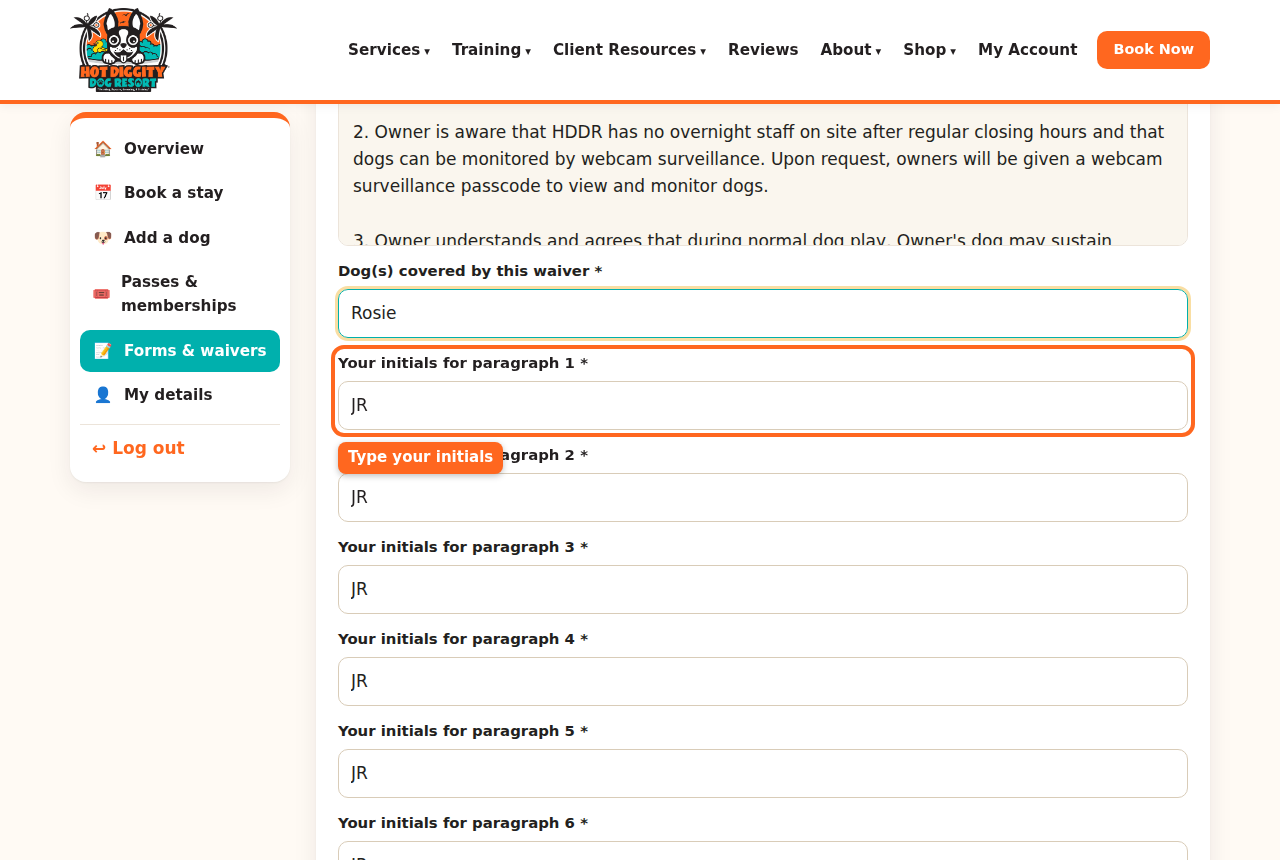
The initials boxes on the waiver - At the bottom, find Signature. Check I have read this and agree.
- Check your name in Type your full name to sign. Your name is already filled in.
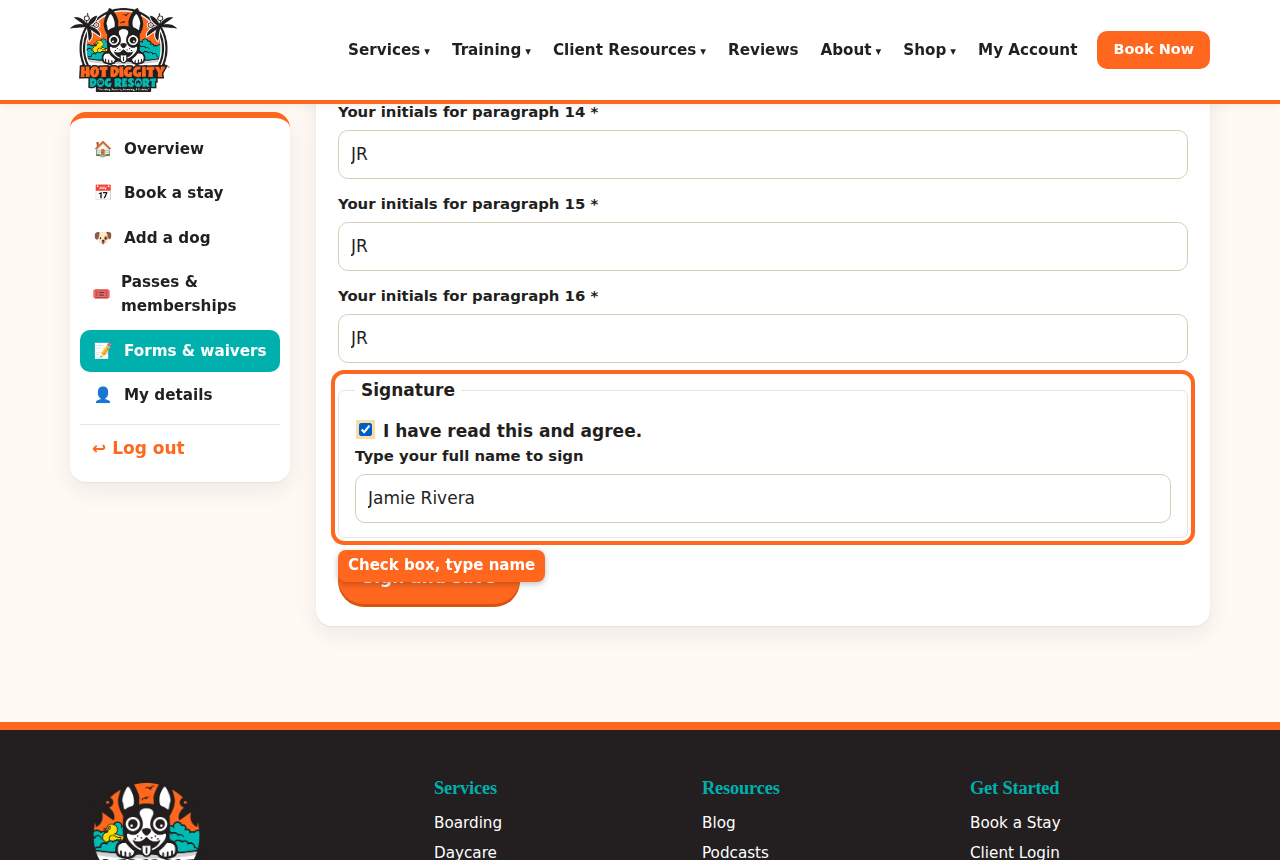
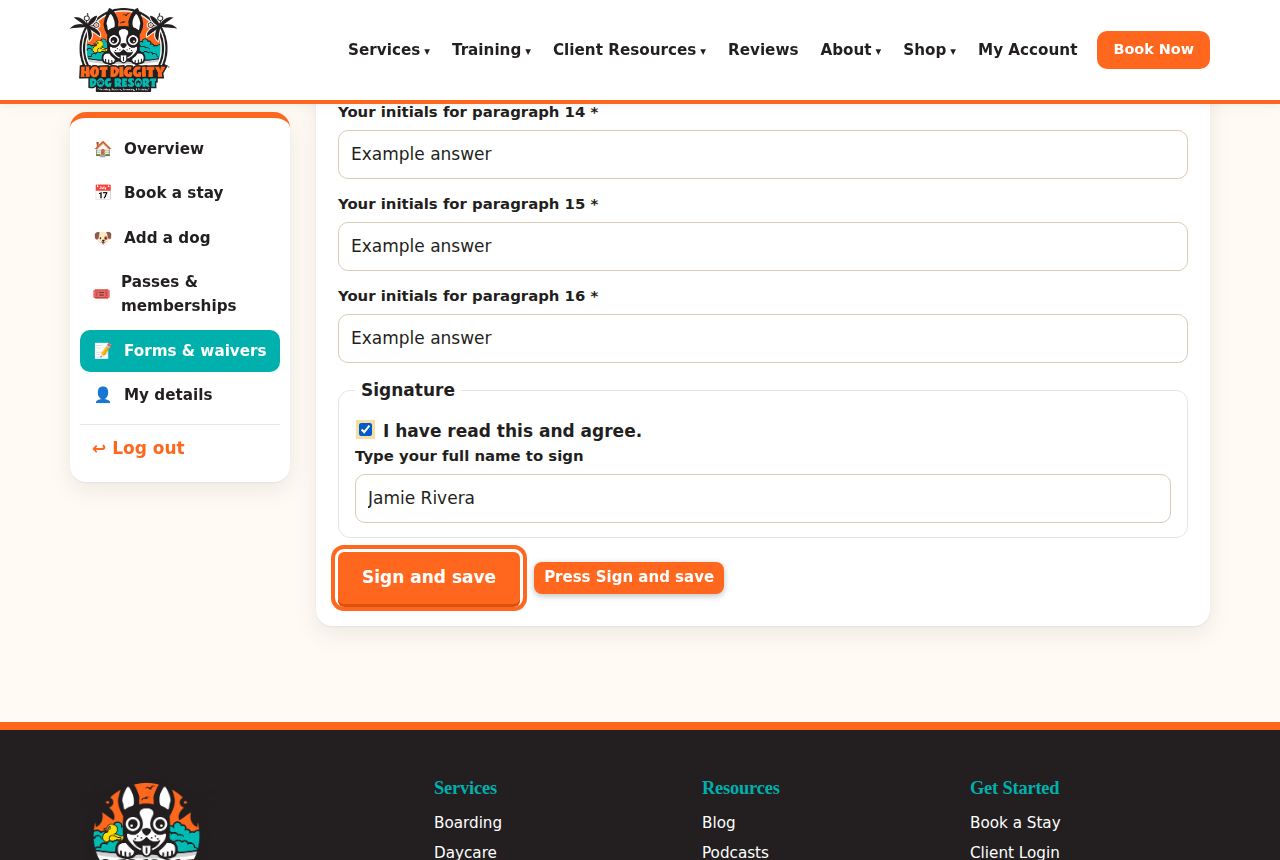
The Signature part, with the check box and your name - Press Sign and save.
The Sign and save button - You are back on Forms & waivers. The form now says Signed with the date.
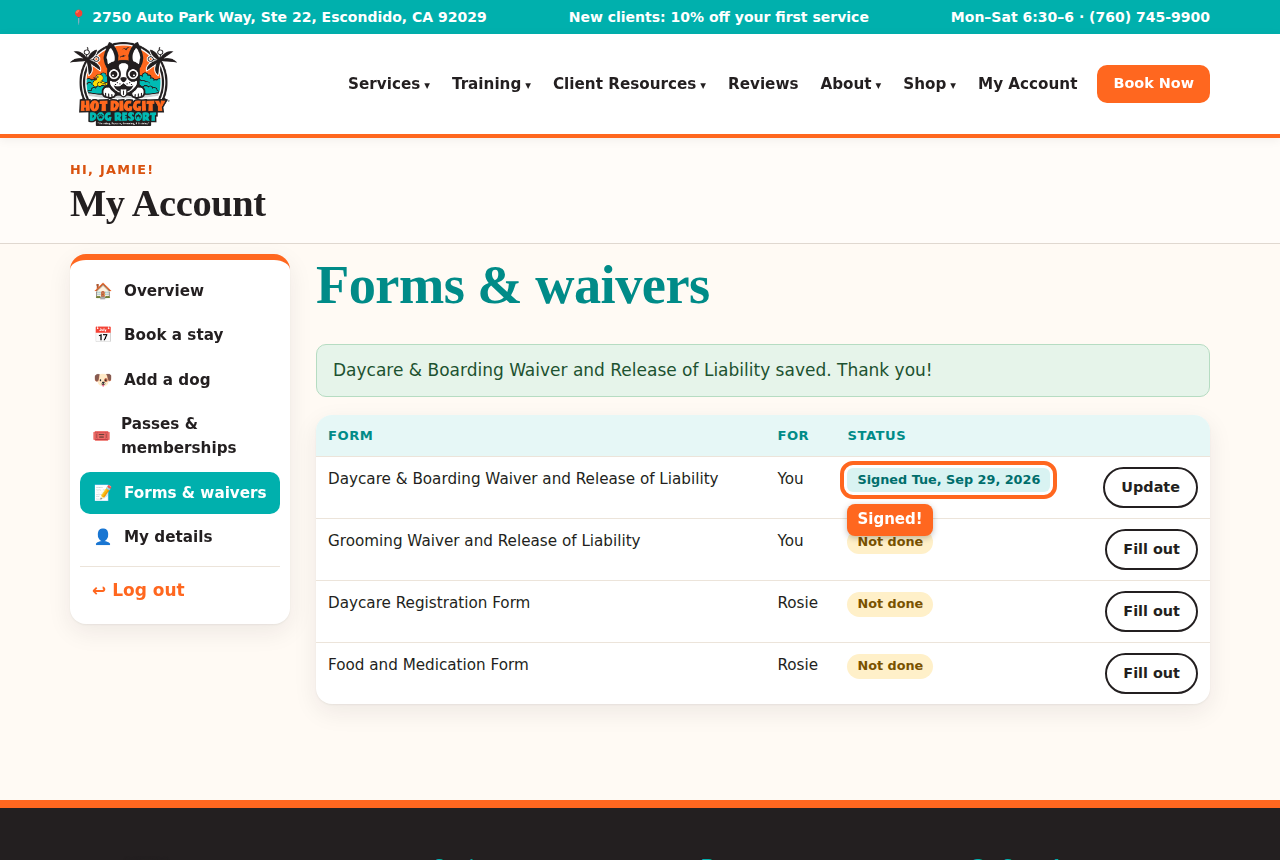
The form now says Signed - Do the same for each form that says Not done.
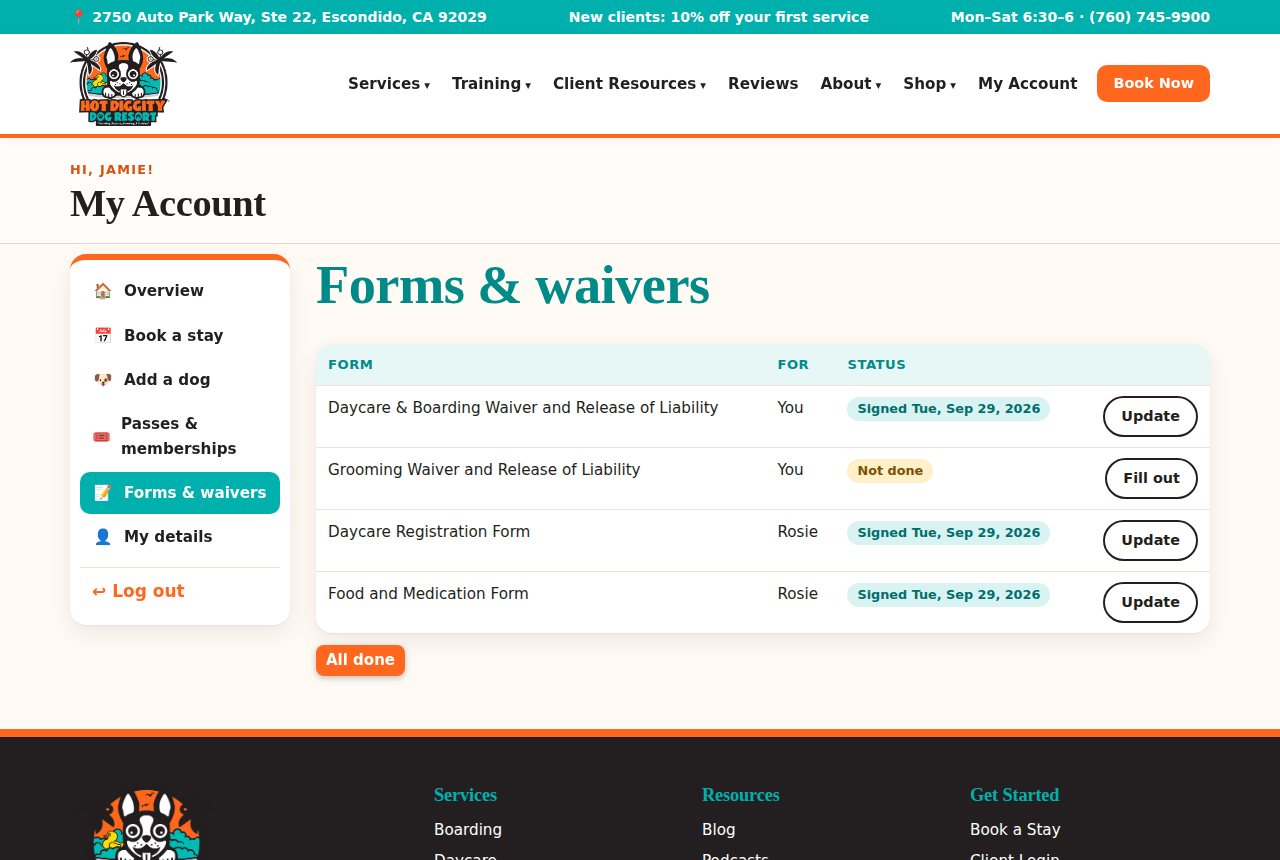
All forms signed
Forms for each dog
Each dog has its own Daycare Registration Form and Food and Medication Form. You can find them on your dog's page too.
- On My Account, press your dog's name.
- Scroll to your dog's forms. Press Fill out online. After it's done, it says Update.
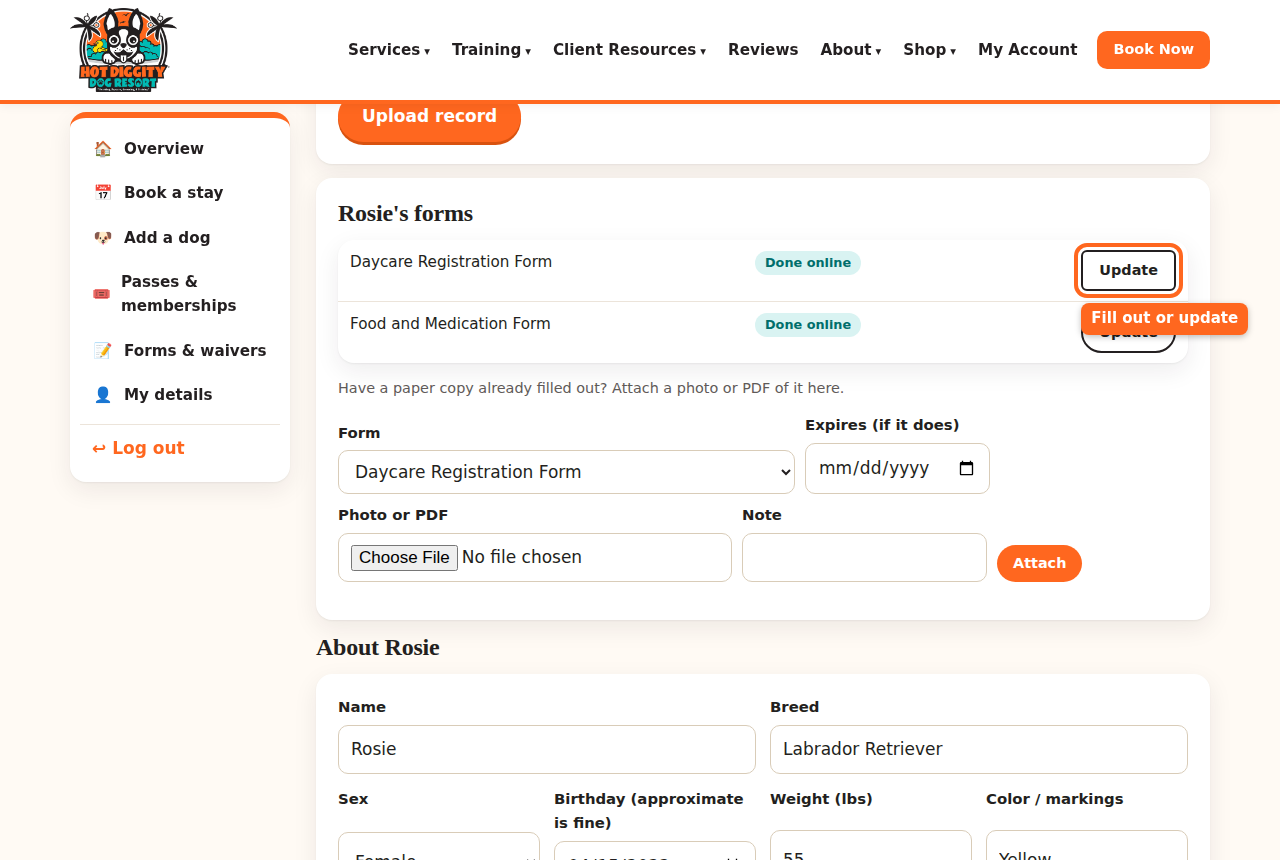
Your dog's forms on the dog's page 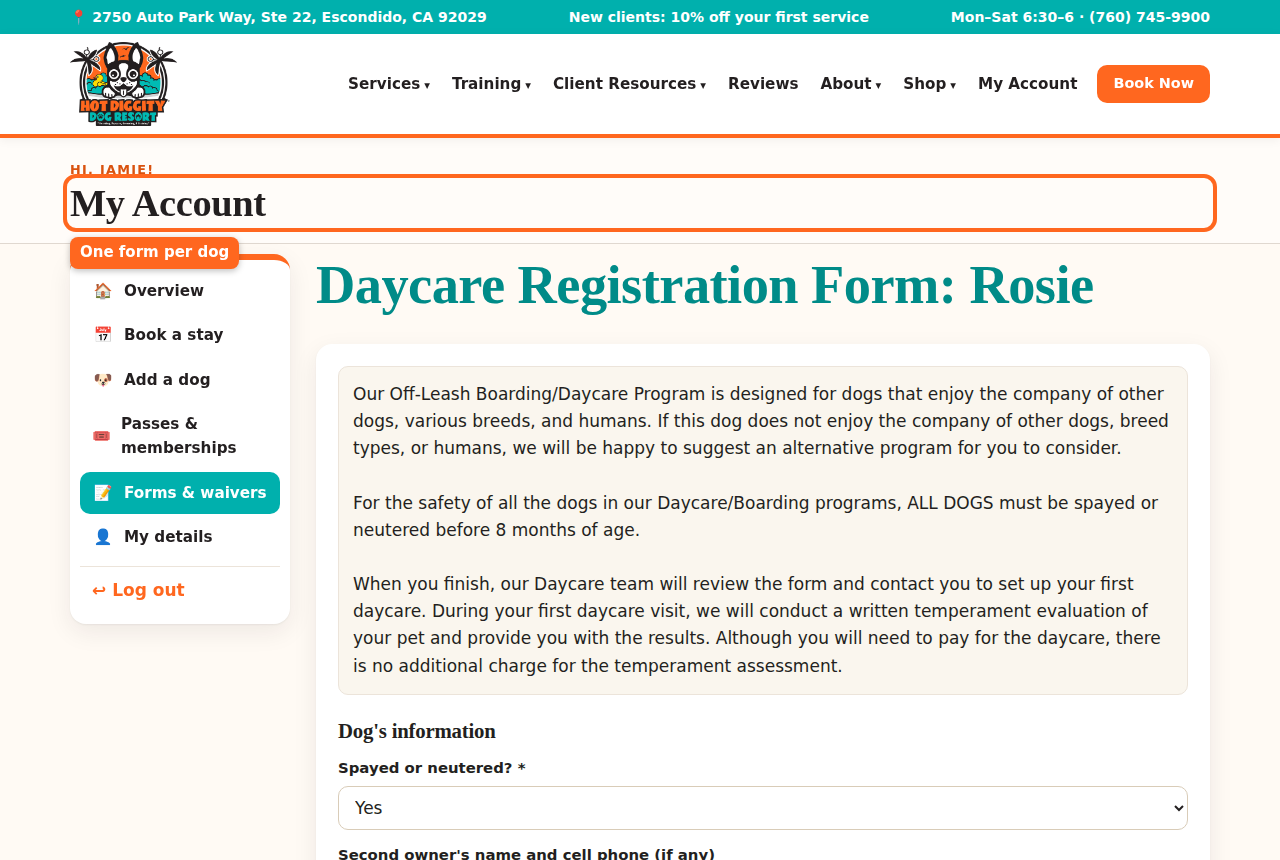
The Daycare Registration Form for one dog
Have a paper copy?
Did you already fill out a paper form? You can send us a photo of it.
- On your dog's page, find "Have a paper copy already filled out?"
- Under Form, pick which form it is.
- Under Photo or PDF, press Choose File.
- Press Attach.
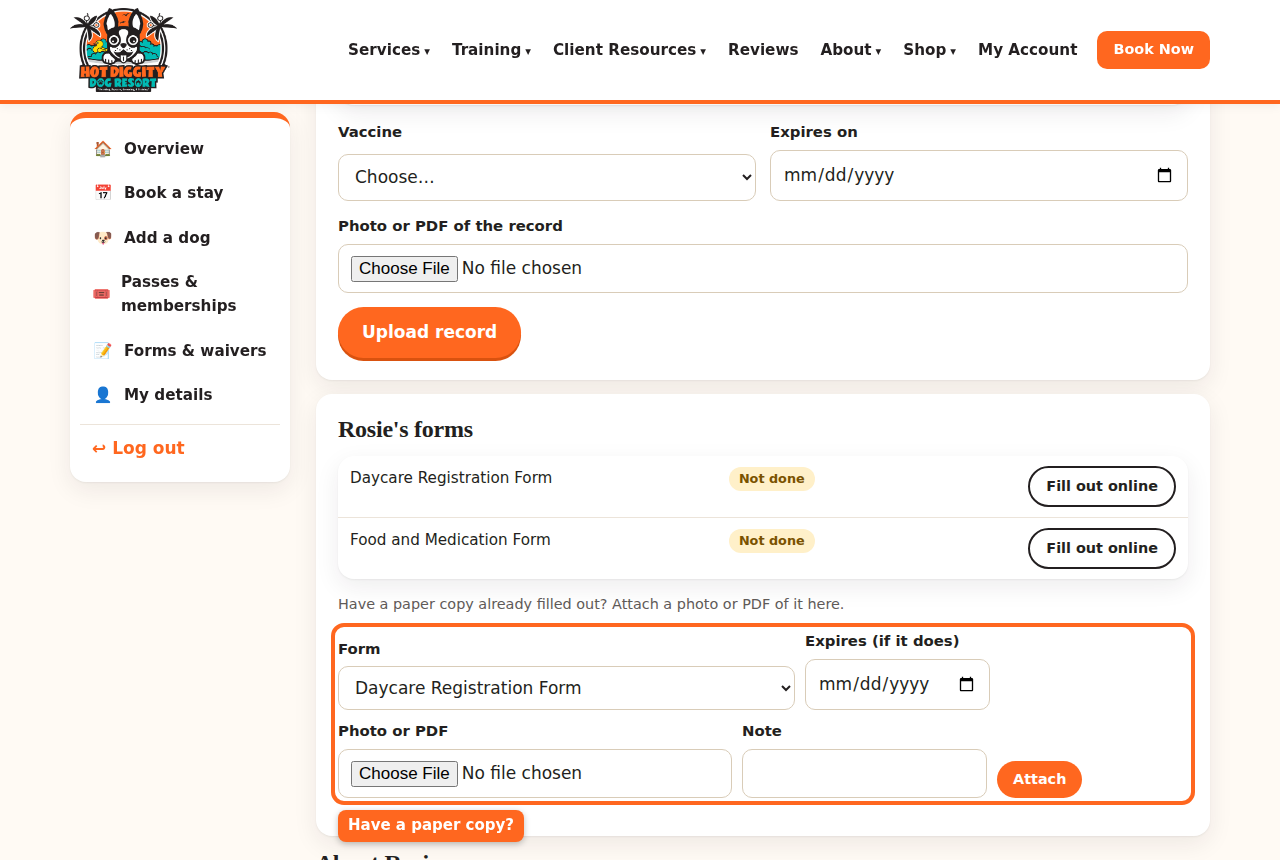
The box for sending a paper copy Tip: Forgot a form? No worry. When you book, the site takes you to the missing form. It says "Before we can book this, please fill out..." Fill it out. Then book again.Good to know: Need to change an answer? Press Update next to the form. Change it, then save again.Stuck? Call us at (760) 745-9900.Good to know: New to daycare or boarding? Fill out the Daycare & Boarding Registration Form first. Then book the Temperament Assessment. Your dog needs to pass it before daycare or boarding. Boarding also needs the Food and Medication Form for each dog. Leave the medication part blank if your dog takes none.